Getting Started
Installation
For maximum performance, install with Cython:
Optional Dependencies
| Package | Install | Purpose |
|---|---|---|
| networkx | pip install 'fa2[networkx]' |
NetworkX graph support |
| igraph | pip install 'fa2[igraph]' |
igraph graph support |
| cython | pip install cython |
10-100x speedup (requires C compiler) |
Usage
With NetworkX
import networkx as nx
from fa2 import ForceAtlas2

G = nx.karate_club_graph()

fa2 = ForceAtlas2(verbose=False)
positions = fa2.forceatlas2_networkx_layout(G, iterations=100)

# positions is a dict: {node: (x, y)}
nx.draw_networkx(G, pos=positions, node_size=50)
With igraph
import igraph as ig
from fa2 import ForceAtlas2

G = ig.Graph.Famous("Petersen")

fa2 = ForceAtlas2(verbose=False)
layout = fa2.forceatlas2_igraph_layout(G, iterations=100)

# layout is an igraph.Layout object
ig.plot(G, layout=layout)
With Raw Adjacency Matrix
import numpy as np
from fa2 import ForceAtlas2

# Symmetric adjacency matrix
G = np.array([
    [0, 1, 1, 0],
    [1, 0, 0, 1],
    [1, 0, 0, 1],
    [0, 1, 1, 0],
], dtype=float)

fa2 = ForceAtlas2(verbose=False)
positions = fa2.forceatlas2(G, iterations=100)
# positions is a list of (x, y) tuples
With Sparse Matrix
from scipy.sparse import csr_matrix
from fa2 import ForceAtlas2

row = [0, 0, 1, 1, 2, 2, 3, 3]
col = [1, 2, 0, 3, 0, 3, 1, 2]
data = [1, 1, 1, 1, 1, 1, 1, 1]
G = csr_matrix((data, (row, col)), shape=(4, 4))

fa2 = ForceAtlas2(verbose=False)
positions = fa2.forceatlas2(G, iterations=100)
Weighted Graph
import networkx as nx
from fa2 import ForceAtlas2

G = nx.Graph()
G.add_edge("A", "B", weight=5.0)
G.add_edge("B", "C", weight=1.0)
G.add_edge("A", "C", weight=0.1)

fa2 = ForceAtlas2(verbose=False)
positions = fa2.forceatlas2_networkx_layout(
    G, iterations=100, weight_attr="weight"
)
# Strongly connected A-B will be closer together
The weight_attr parameter tells ForceAtlas2 which edge attribute to use as
weight. Works with both NetworkX and igraph.
Auto-Tuning with inferSettings()
import networkx as nx
from fa2 import ForceAtlas2

G = nx.barabasi_albert_graph(5000, 3)

# Analyzes graph density and size to select:
#   scalingRatio, gravity, barnesHutOptimize, barnesHutTheta
fa2 = ForceAtlas2.inferSettings(G)
positions = fa2.forceatlas2_networkx_layout(G, iterations=100)

# You can override any inferred parameter:
fa2 = ForceAtlas2.inferSettings(G, linLogMode=True, gravity=5.0)
3D Layout
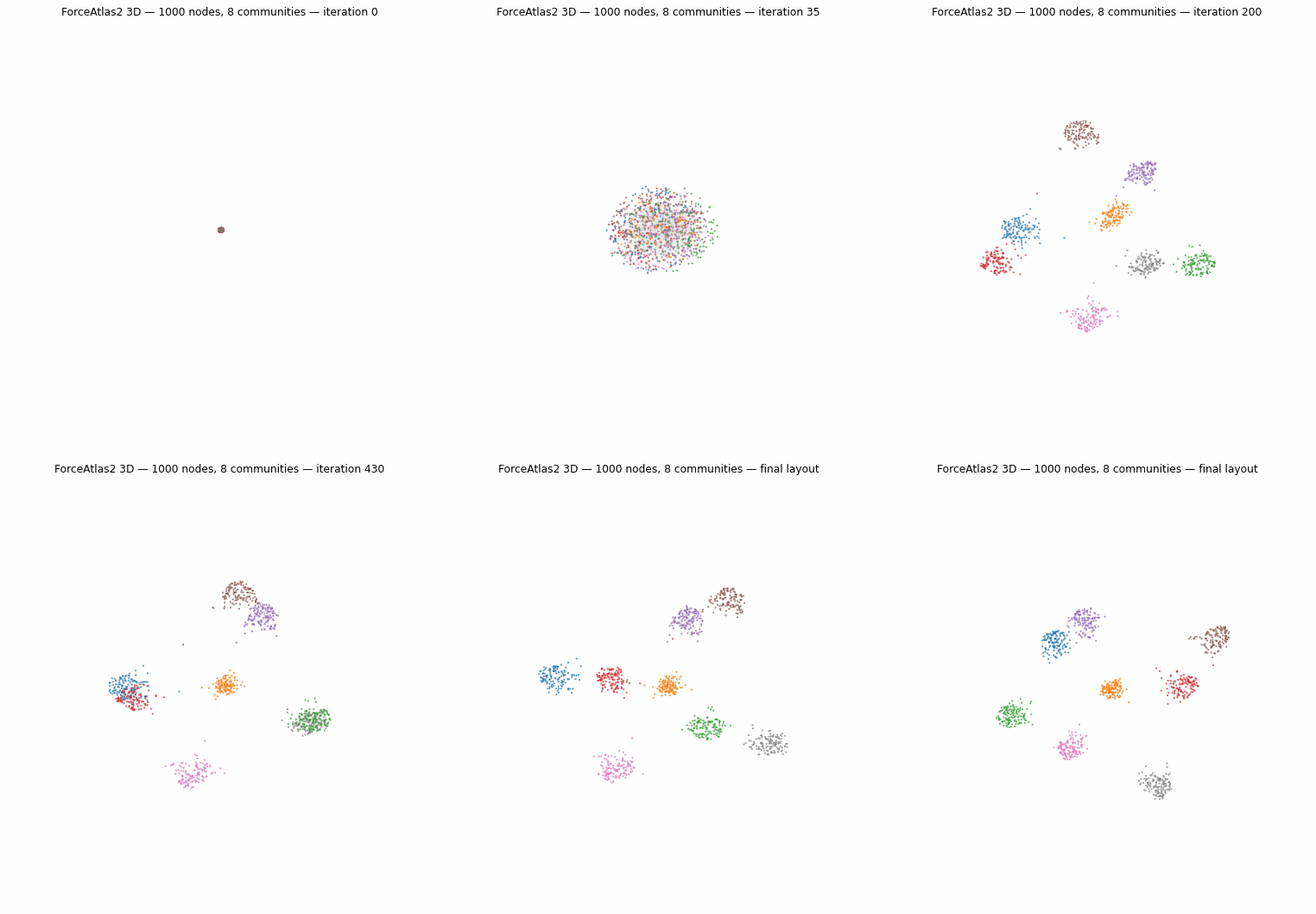
1000-node graph with 8 communities laid out in 3D
import numpy as np
from fa2 import ForceAtlas2

G = np.array([[0, 1, 1], [1, 0, 1], [1, 1, 0]], dtype=float)

fa2 = ForceAtlas2(dim=3, verbose=False)
positions = fa2.forceatlas2(G, iterations=100)
# positions is a list of (x, y, z) tuples
Reproducible Layouts
Use the seed parameter for deterministic results:
fa2 = ForceAtlas2(seed=42, verbose=False)
pos1 = fa2.forceatlas2(G, iterations=100)

fa2 = ForceAtlas2(seed=42, verbose=False)
pos2 = fa2.forceatlas2(G, iterations=100)
# pos1 == pos2
Next Steps
- Algorithm — how ForceAtlas2 works
- Advanced Usage — callbacks, tuning, backends, anti-collision
- API Reference — complete parameter documentation